Any public videodownloaded in one tap
Paste a public link to preview the original frame and save the available video or audio file.
 Instagram
Download many links at once
Paste up to 20 links (one per line). Any platform works.
Copy a link, save the post
Choose a platform to see where its Share and Copy link buttons lead.
Step by step
How to download from TikTok

TikTok
1Tap Share in TikTok
Open the public video or post in the TikTok app and tap the Share arrow.
- SendCopy linkMore
2Tap Copy link
A menu slides up from the bottom. Tap Copy link — the link is now copied.
- VidNexo downloaderVidNexo — No watermarknowatermarkdownload.lovable.app
3Open VidNexo in Chrome
Open Google Chrome, search “VidNexo downloader” or type nowatermarkdownload.lovable.app, and open our site.
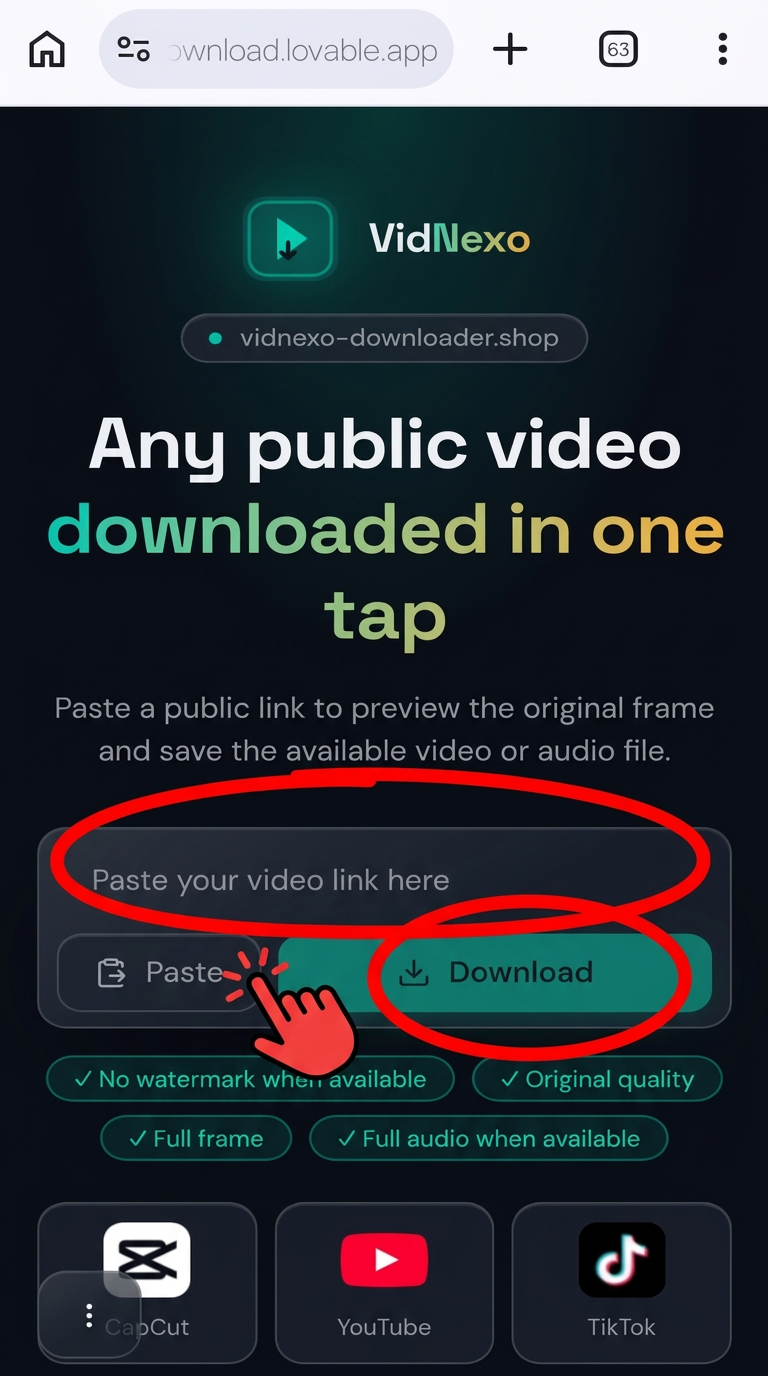
4Paste the link & tap Download
Tap Paste (or long-press the box), then tap Download.
- Download
5Watch & save
The video appears right below the box. Tap the download button to save it.
Red circles show exactly where to tap. Menus may look slightly different on your phone.
Why VidNexo
No watermark
CapCut and TikTok videos without the logo overlay.
Available quality
Save the file supplied by the source, without cropping the frame.
Music playback
Listen and save when the source supplies a separate audio file.
Never cropped
Portrait and landscape videos fit the player completely.
Smart link detection
Paste the whole share text — we find the link.
Developer API
Connect your own app with an API key for instant results.
FAQ
Is it free?
Yes. VidNexo is free to use for public posts.
Can I download private videos?
No. Only public posts are supported — private or age-restricted media can't be fetched.
Where are files saved?
In your device's Downloads folder, like any other download.
Does it work on phones?
Yes — Android, iPhone and desktop browsers are all supported.