VidNexo

Explore another Android app

SO PLAYER × VidNexo

SO PLAYER

Watch. Listen. Save.

A separate Android entertainment app for videos, music and shorts. Its website offers the APK, app screenshots and installation guides.

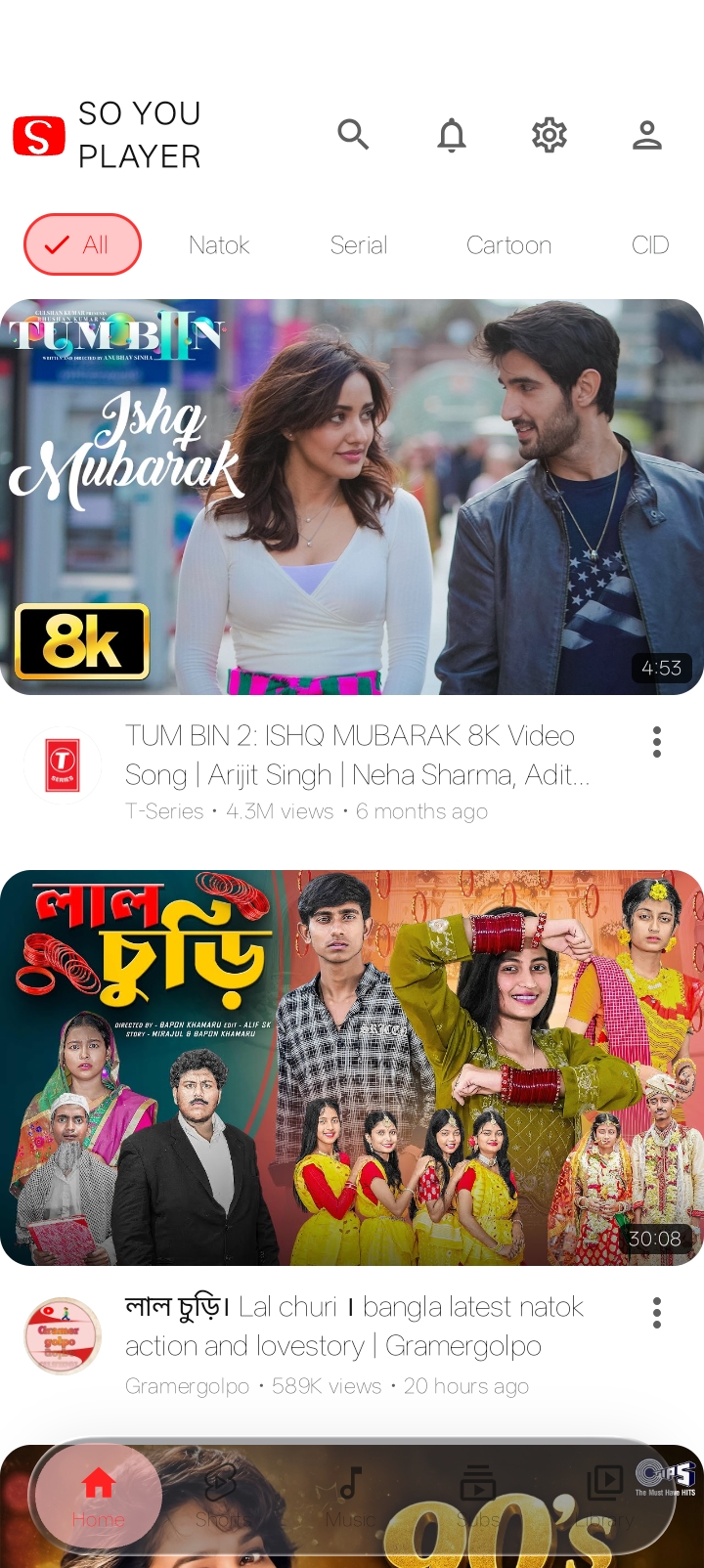
SO PLAYER brings YouTube videos and music, a Shorts feed, subscriptions and a personal library together. Its Android app offers video playback and video/audio downloads, with formats depending on the source and app availability.

Videos & shows

Movies, shows and video playback

Music & shorts

Songs, charts and short videos

Your library

History and saved downloads

Opens a separate website. SO PLAYER is not the VidNexo APK. Features and downloads depend on that app.

SO PLAYER · Home
SO PLAYER · Home

Inside SO PLAYER

Android · YouTube · Music

01

YouTube & video playback

Browse videos and open the player to watch, read comments and find related suggestions. The app's screenshots show a dedicated playback screen with reactions and recommendations. Network access and source availability affect playback.

02

Music, charts & artists

The music view brings songs, ranked charts and artist collections together. Open a track to listen, or use an available audio download option when you have permission. A music screen does not mean every track is available in every format.

03

Shorts & followed channels

Explore vertical short videos and use the app's reactions and sharing options. Subscriptions collects followed channels for quick access to their uploads. These features belong to the Android app, not to this VidNexo guide page.

04

Formats & saved downloads

Choose from the video or audio formats actually offered for a link. SO PLAYER's download guide illustrates the share-menu flow and its built-in browser. The library provides access to history and downloads; save only content you are allowed to keep.

05

Account & settings

The published screenshots show guest or account sign-in choices and So Engine settings. Review the settings inside the installed app. Sign-in requirements and individual options can change between releases.

06

Install & update carefully

Use the SO PLAYER website for its own Android releases and installation screenshots. Check file details, scan with Play Protect and never ignore a harmful-app warning. VidNexo and SO PLAYER have independent APKs and release histories.

SO PLAYER — questions & answers

What kind of player is SO PLAYER?

SO PLAYER is an Android entertainment and media app for YouTube videos, music and Shorts, with subscriptions, watch history and a download library.

Can I watch YouTube videos and music?

Yes. SO PLAYER offers YouTube video and music browsing and playback. Availability may change with the source, region or app version; not every video or format is guaranteed.

How do video and audio downloads work?

In a video's Share menu, choose More, then Download with So_Player. Select an available video, audio or MP3 format and tap Download. Only download content you own or have permission to save.

Can I choose the download quality?

The SO PLAYER guide shows choices such as 480p, 720p and 1080p, plus audio formats. The actual choices depend on the video and the app. A higher quality file usually uses more storage and data.

What are Shorts, subscriptions and the library?

Shorts is a vertical short-video feed. Subscriptions gives access to followed channels. The library groups watch history and saved downloads so you can return to content later.

How should I install the Android APK?

Get the APK from the SO PLAYER website. Scan it with Google Play Protect before installing. If a harmful-app warning appears, stop. Android may ask permission for the browser to install an app; review the source and permissions carefully.

Is SO PLAYER the same as VidNexo?

No. They are separate apps. SO PLAYER focuses on watching, listening and its own download library. VidNexo lets you paste public links to preview and download media. VidNexo's Install button continues to download VidNexo, not SO PLAYER.

Where are the latest and previous SO PLAYER releases?

Open the APK & versions button to visit SO PLAYER's Downloads & Version History section. Check the release details there; this guide does not mirror APK files or guarantee third-party availability.

How to get started

  1. 01

    Open the SO PLAYER website and download its Android APK.

  2. 02

    Scan with Play Protect before installing. Do not install if it warns of harm.

  3. 03

    Open the app to watch videos or listen to music. To save a video, use Share → More → Download with So_Player, then choose a format.